Shift planning, simplified

Plan smart.
Work easy.

Planyly is a modern shift planning tool for restaurants, offices, and teams. Manage availability, create schedules, and keep your team in sync.

How it works

From setup to published schedule in 5 simple steps.

Example: Cafe Sonnenschein, a cafe with 9 employees and 4 roles.

1

Set up your team

Add employees, assign roles like Griller or Service, set employment types and hour limits. Everything in one place.
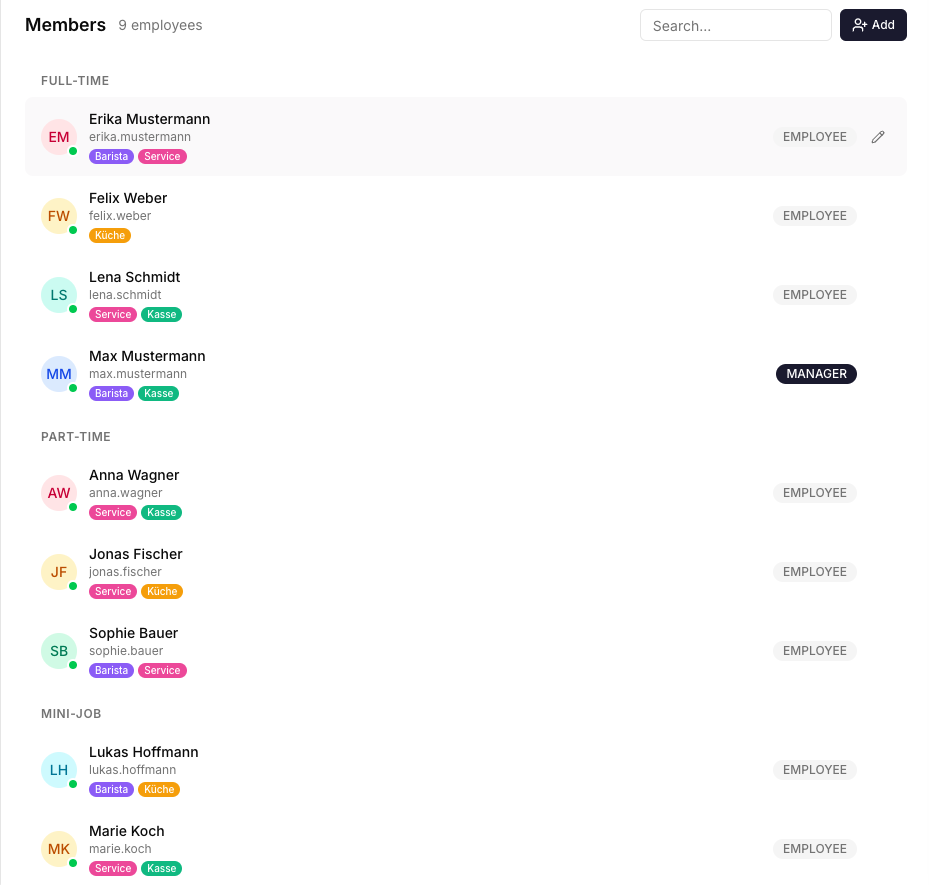
Set up your team
2

Define requirements

Specify how many people you need per role, per day. Normal days, busy weekends, holidays, each with its own staffing rules.
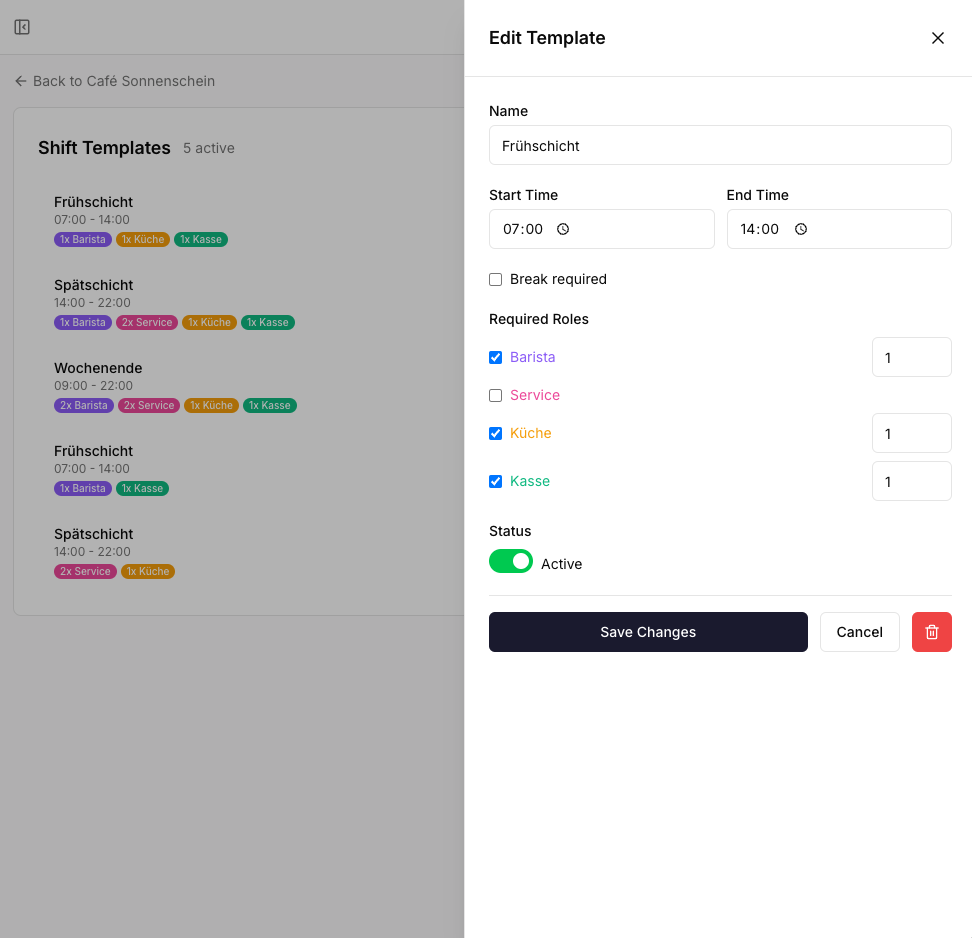
Define requirements
3

Employees set availability

Each team member submits when they are available, by day, with specific hours or full day. Managers see it at a glance.
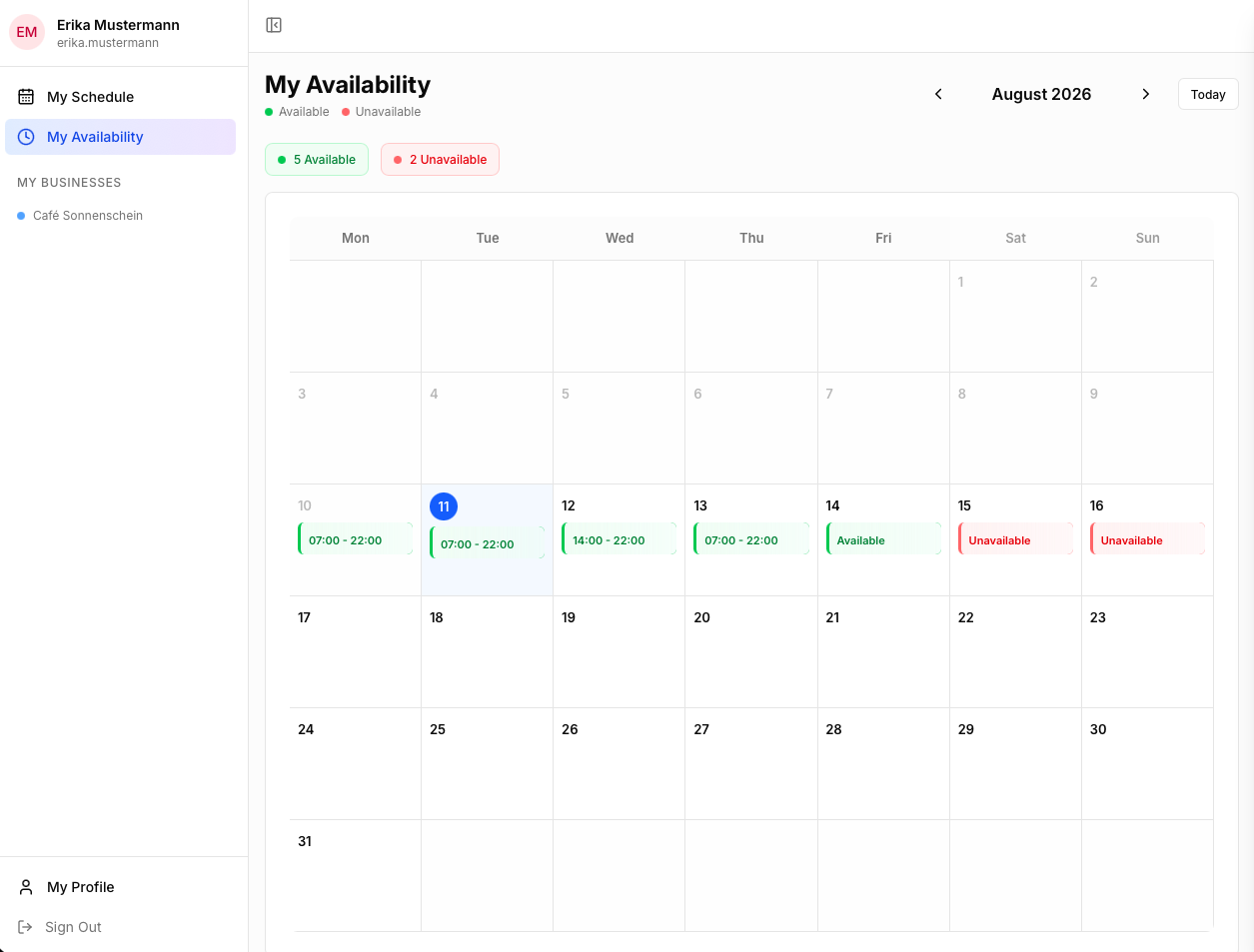
Employees set availability
4

Create the plan

Build the schedule manually, or let Auto Plan fill gaps and generate shifts in seconds based on availability and requirements.
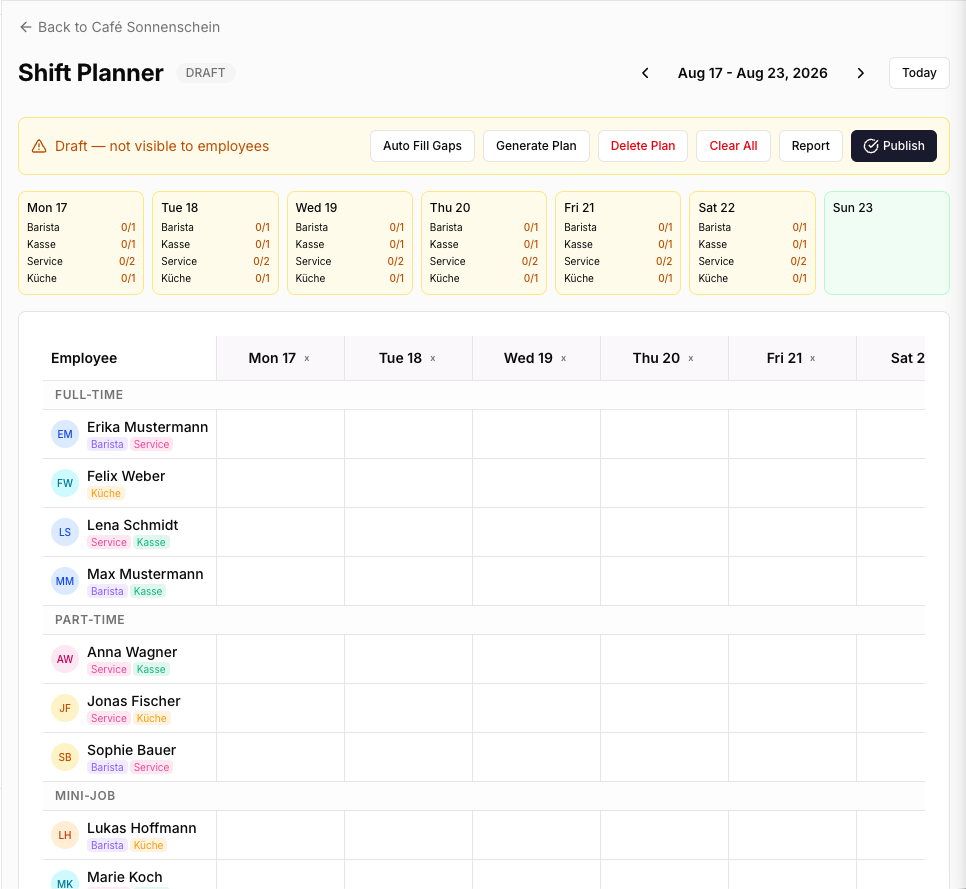
Create the plan
5

Publish & go

Hit publish and your team instantly sees their schedule. Need changes? Unpublish, edit, and republish anytime.
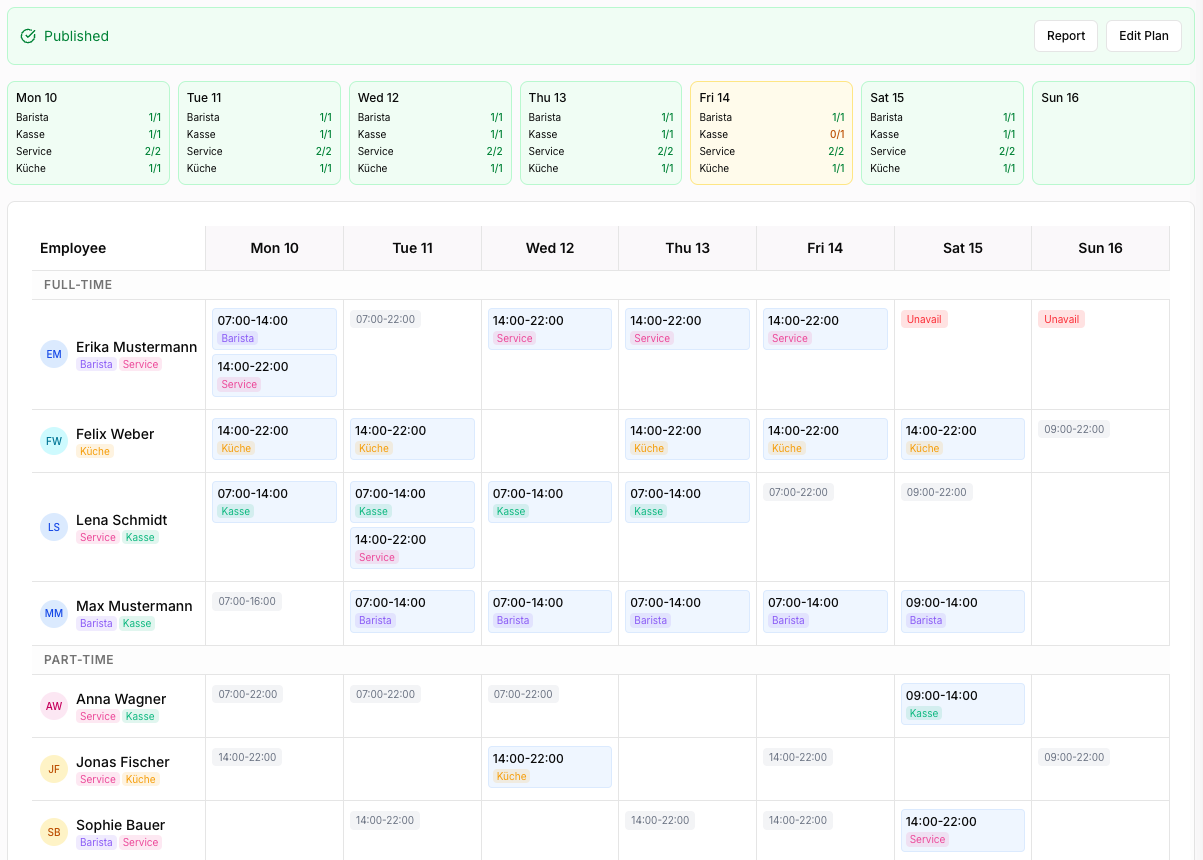
Publish & go

Everything you need to plan shifts

From collecting availability to publishing the schedule, Planyly handles it all.

Smart Planning

Employee-centric grid view. Click or auto-generate your weekly schedule in seconds.

Team Management

Manage full-time, part-time, and mini-job employees. Set roles, hour limits, and recurring patterns.

Availability

Employees submit their availability. Managers see it at a glance and plan around it.

Auto Plan

Let the algorithm fill gaps or generate a full schedule based on requirements and availability.

Multi-language

German and English out of the box, with more languages coming soon. Each business picks its own language.

Secure & Private

Your data is encrypted and protected. GDPR compliant, secure authentication, and role-based access control.

Interested?

Leave your details and we will get back to you. Planyly is currently in early access.